
Agent Blond
Blond's AI assistant. It answers questions about your business, researches your data, and — when you ask it to — creates and edits invoices, quotes, expenses, time entries, or bookings for you.
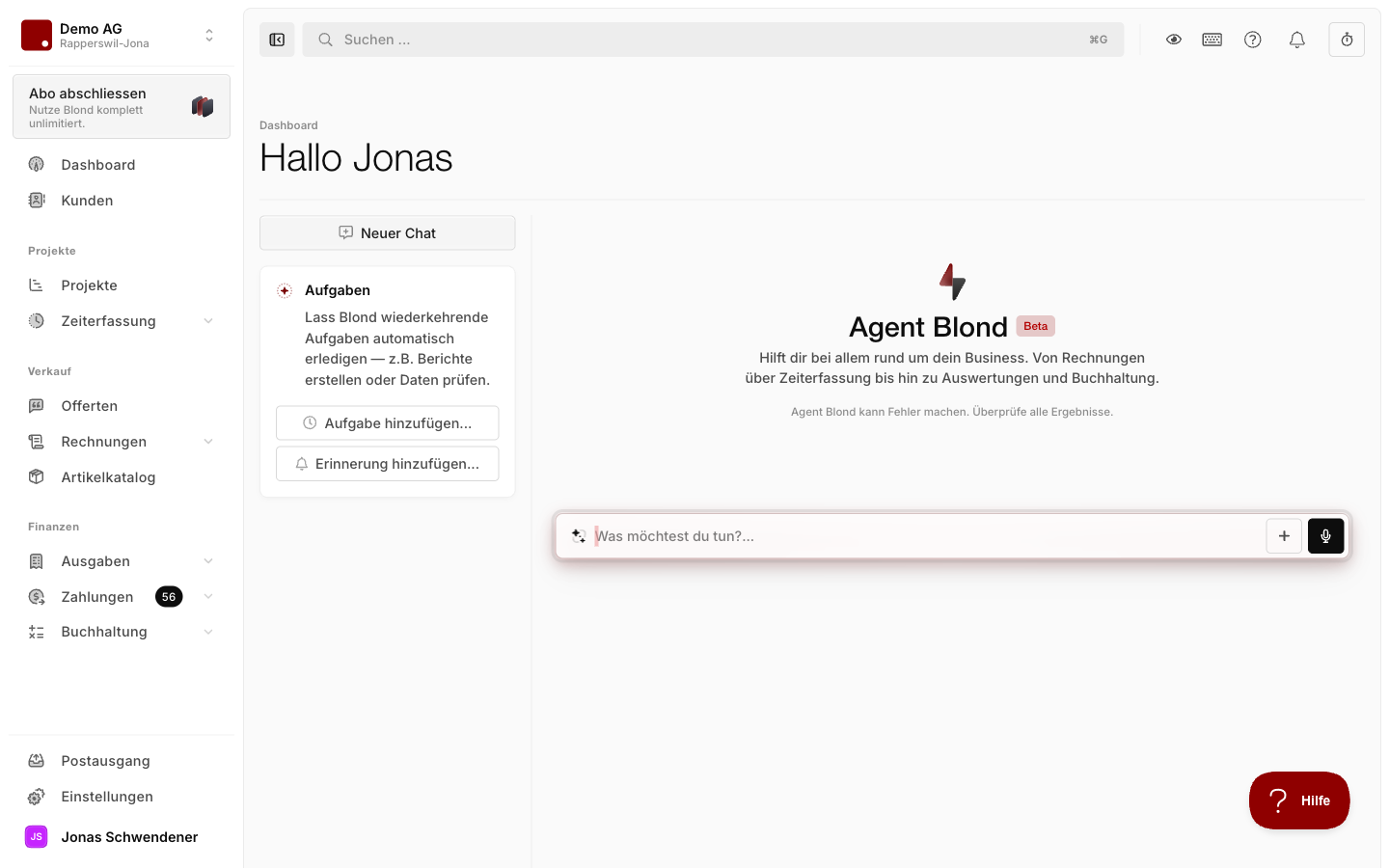
Agent Blond is in beta
Answers can contain mistakes. Always check amounts, accounts, VAT codes, and outgoing documents yourself before relying on them.
What Agent Blond can do for you
- Reports and analysis: Questions about bookkeeping, cashflow, project status, or overall financial health.
- Writing quotes and invoices: Draft documents from a short description or refine existing ones before sending.
- Recurring tasks: Run status reports and reminders automatically in the background.
- Forwarding emails: Send emails to your personal agent address — Agent Blond researches the content and prepares a briefing.
- Voice mode: Talk to Agent Blond directly in the Blond mobile app.
- Beyond that, it records expenses from the document inbox, reconciles bank transactions, records and cleans up time entries, and answers accounting questions following Swiss practice.
You reach Agent Blond via Chat in the main navigation, via the glass icon in the top-right (side panel), or via the action menu directly on an invoice, quote, expense, or project — where Agent Blond already knows the record as context.
TIP
Besides text, you can attach photos and documents (Add content on the left of the input field) or speak your question with Dictate.
Two modes: Ask and Agent
You pick the mode at the bottom of the input field:
| Mode | What it may do |
|---|---|
| Ask | Read-only access — analyzes and answers, but changes nothing. |
| Agent | Can read & modify data — create documents, adjust records, and more. |
For pure analysis, Ask is the safe choice. As soon as Agent Blond should create or change something, switch to Agent.
Approvals and undo
Before Agent Blond performs a risky action — sending an invoice or deleting something, for example — it pauses and shows an Approval required card with the details. Only when you click Allow does it proceed; Deny cancels the action.
How often it asks is up to you — from Never ask to Every change. And most changes can be undone with one click on Restore snapshot. See Personalizing Agent Blond for details.
Roles
Depending on the topic, Agent Blond works in one of two roles: Project manager (sales, projects, time tracking) or Accountant (bookkeeping, finances, taxes). It picks the right role automatically based on your question — but you can switch it yourself at any time in the input field.
Permissions
Agent Blond only sees and changes data that you have access to. If a team member has no access to bookkeeping, Agent Blond can't query or create bookings for them either.
Activation and data privacy
Before anyone in your organization can use Agent Blond, an administrator has to give consent to the data processing once. A prompt appears the first time you open the chat. Once consent is granted, Agent Blond is unlocked for all members of the organization.
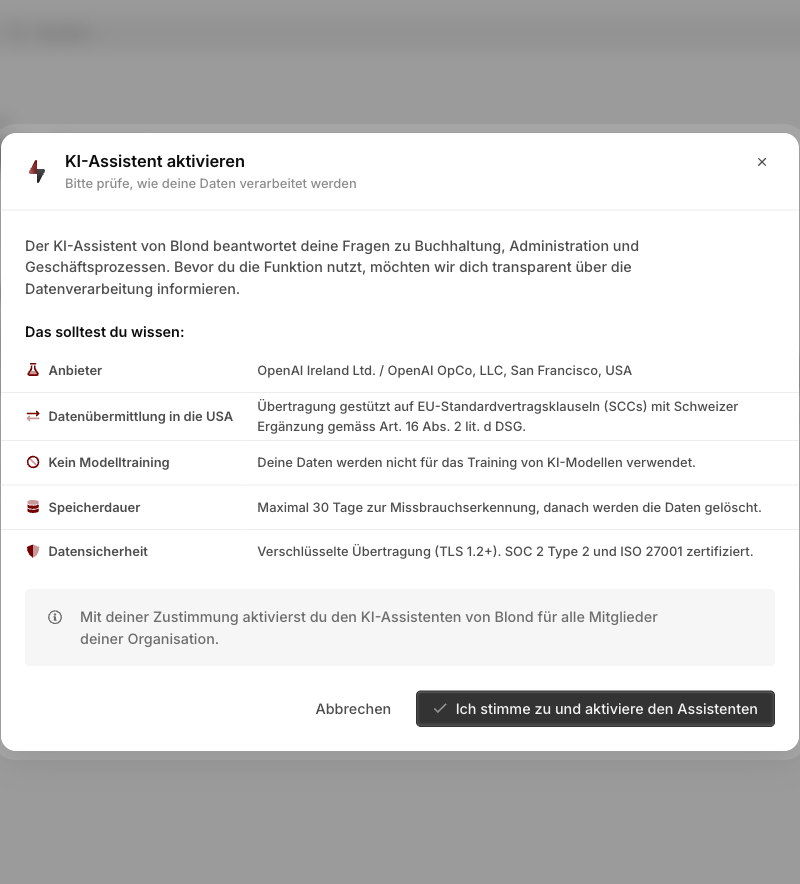
Agent Blond uses the OpenAI models. Transmission is encrypted (TLS 1.2+) and based on EU Standard Contractual Clauses with the Swiss addendum per Art. 16 para. 2 lit. d FADP. Your data is not used to train AI models and is automatically deleted after at most 30 days.
As an admin, you can see the status and all details under Settings → AI. You can revoke consent there at any time — Agent Blond is then disabled for all members of your company, but existing conversations are kept.
Weekly quota
Usage of Agent Blond is limited via AI credits: your organization receives a weekly quota that depends on your plan and can be extended with add-on packages.