
Account statements
View, filter, and export ledger account statements as PDF, Excel, or CSV.
Opening an account statement
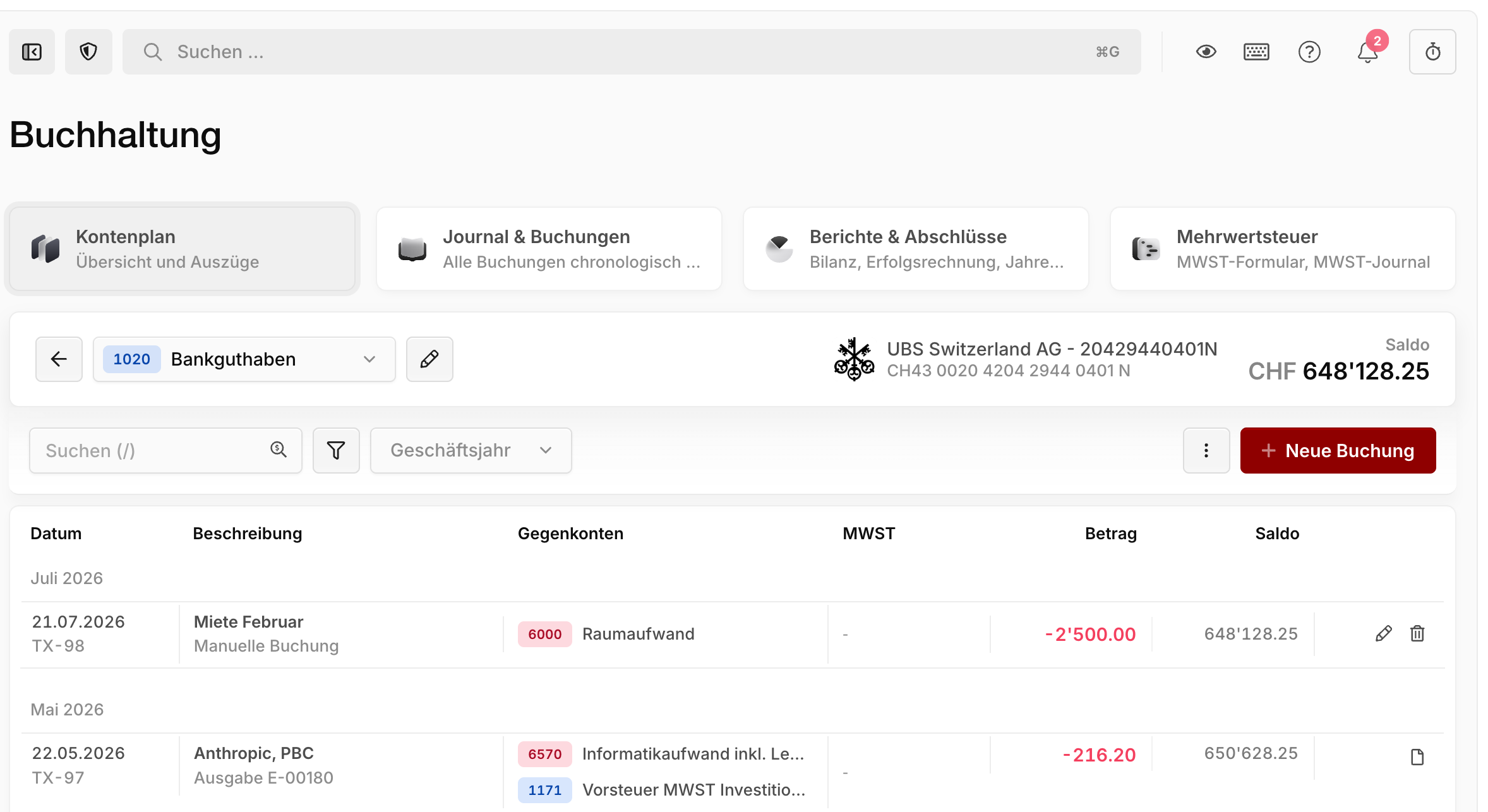
Navigate to Accounting → Chart of accounts and click an account to open its statement. The statement shows all of the account's entries with a running balance.
Use the account dropdown in the toolbar to quickly switch between statements — even faster with the keyboard shortcut Shift+T.
TIP
Click a contra account directly within an entry to jump to its statement. Double-click an entry to open its details.
Searching and filtering
Search the entries in the search field — including by amount — and use the filter menu to filter by:
- Date range or fiscal year
- Amount
- VAT rate
Exporting and printing
Export the current view at any time as a PDF, Excel, or CSV file. You'll find the export menu ⋮ right next to + New entry. Active filters are applied to the export — so you can create a statement for a single fiscal year, for example.