
Customizing the chart of accounts
Adapt the chart of accounts to your own needs — add, edit, or delete accounts.
Default chart of accounts
If you chose a chart-of-accounts template when setting up accounting, Blond creates a default chart of accounts. It follows the official Swiss SME chart of accounts («Schweizer Kontenrahmen KMU»).
Note
Some accounts — for example those used for VAT reporting — are system accounts and cannot be changed. All other accounts can be edited freely.
Adding accounts
Navigate to Accounting → Chart of accounts to see your full chart of accounts grouped by account class. Use + Create at the top right to add new accounts.
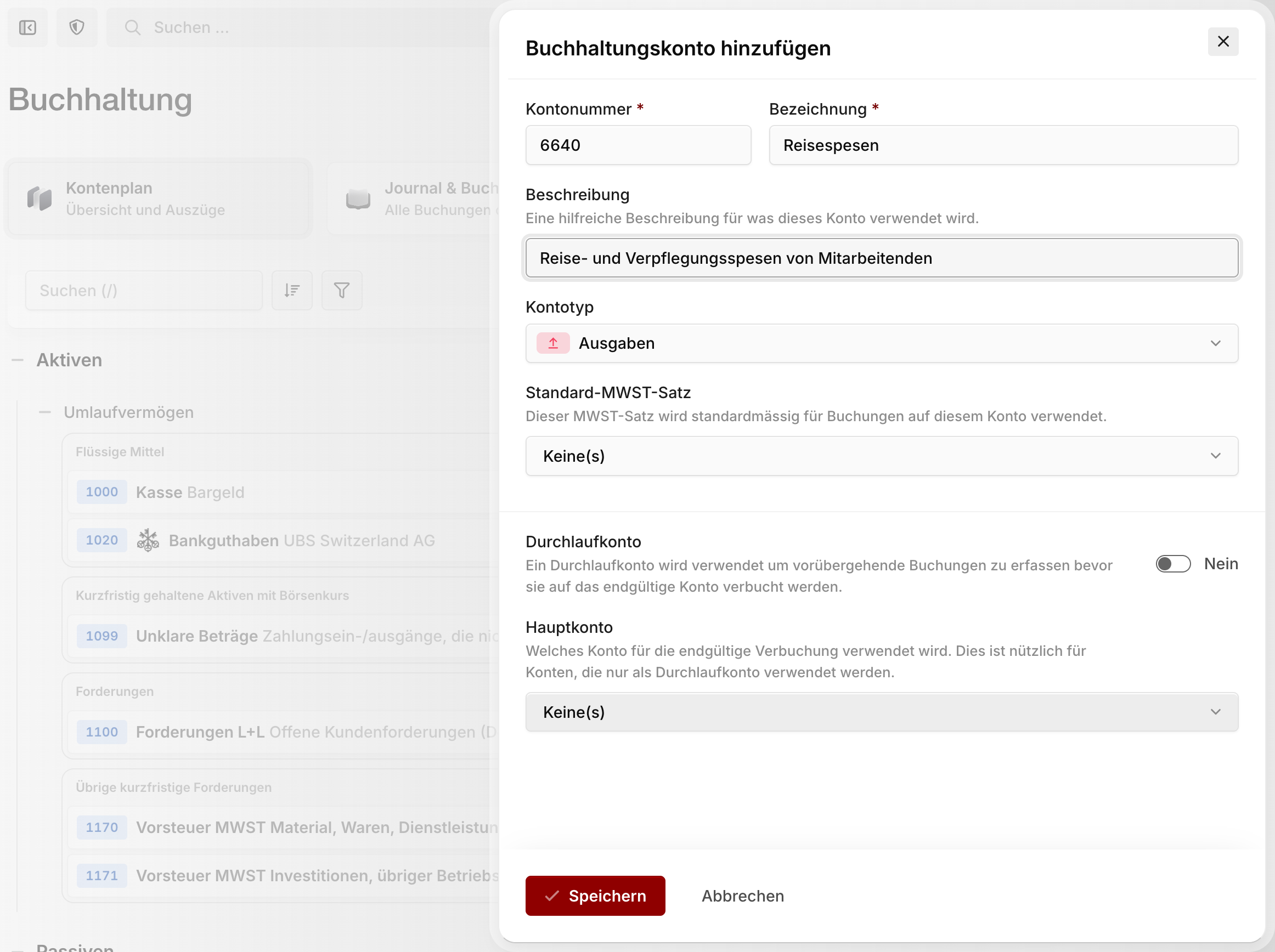
Account number: Enter the desired number. Grouping follows the Swiss SME chart of accounts, and the account type is derived automatically from the number.
Name: The name of the ledger account.
Description: A helpful description of what this account is used for.
Account type: The kind of account (assets, liabilities, revenue, expenses) — usually preselected correctly.
Default VAT rate: Optional. This VAT rate is suggested by default for entries on this account.
Clearing account: Optional. A clearing account collects temporary entries before they're booked to the final account.
Editing and deleting accounts
Hover over an account in the chart of accounts and click the pencil icon — or open the account statement and click the pencil icon next to the account dropdown there.
In the edit form you can change all of the account's details or delete it via the trash icon.
Warning
Only accounts that contain no entries and aren't system accounts can be deleted.
Exporting the chart of accounts
Use the export menu in the chart of accounts to download the current view as an Excel or CSV file — handy for handing over to your fiduciary.