
Managing your product catalog
Save recurring products and services as catalog items and insert them into quotes and invoices with one click.
You'll find the product catalog in the sidebar under Product catalog, or directly at https://app.blond.swiss/product.
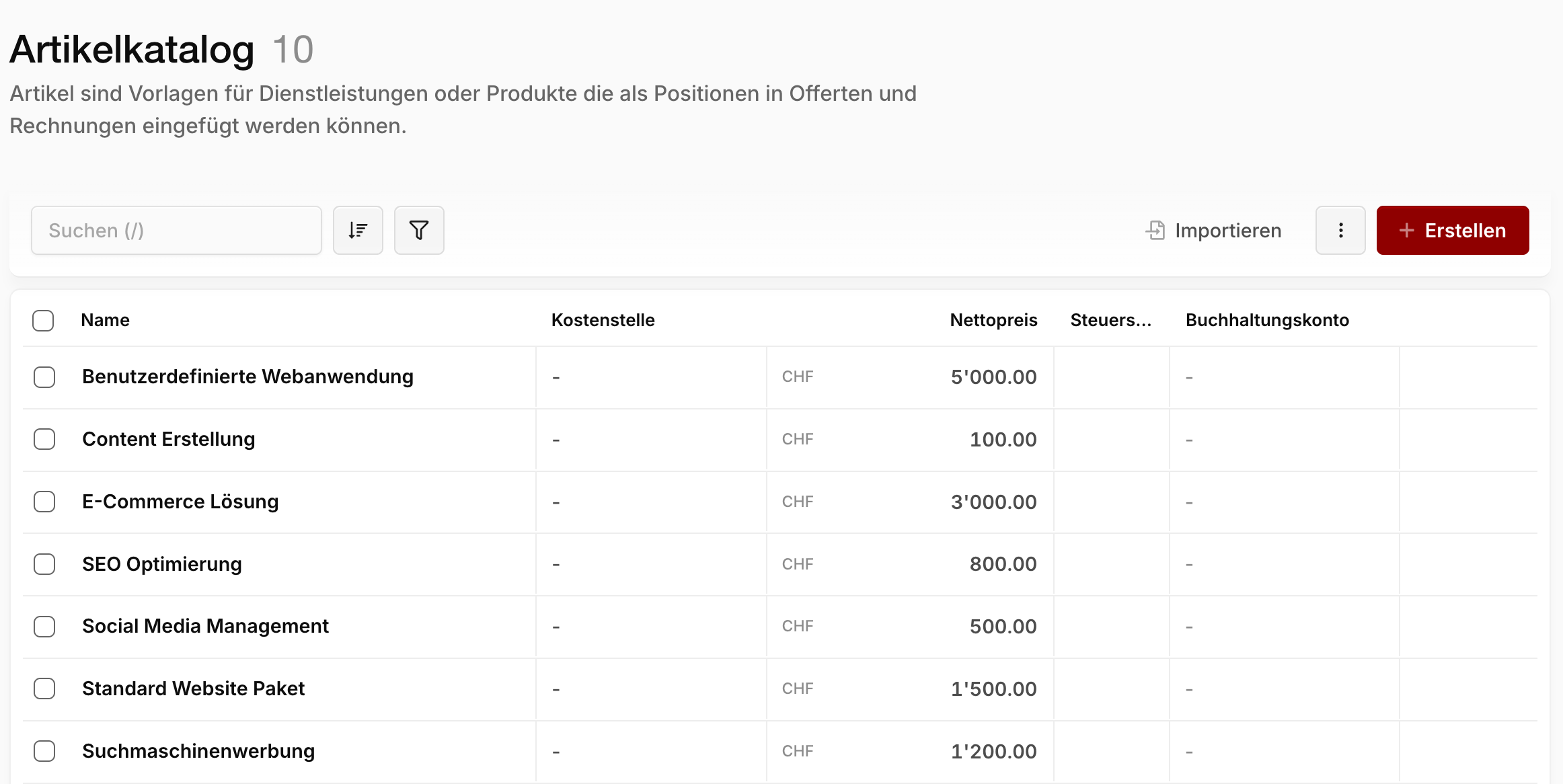
What is the product catalog?
Catalog items are templates for services or products that can be inserted as line items into quotes and invoices. An item can also be a pure text position without a price.
Creating an item
In the product catalog, click + Create.
Name: Title of the product or service — becomes the title of the line item on quotes and invoices.
SKU: Optional article number of the product or service.
Description: A more detailed text describing the product or service. The writing assistant can suggest a description for you.
Choosing the item type
| Type | Behavior |
|---|---|
| Standard item | Regular position with or without a price, incl. VAT rate and unit |
| Discount/surcharge item | Percentage position — deducts a discount or adds a surcharge |
For a standard item you set the net price, the VAT rate and the unit. If accounting is enabled, you can additionally choose the revenue account that sales of this item are booked to.
Further options
Purchase price: Net purchase price for internal calculations — never appears on documents.
Show in time tracking as an additional service: The item can be added as an extra service or material when tracking project time.
Cost center: Assign the item to a cost center — in projects, this automatically produces the grouped project budget.
Exclude from budget: Enable this switch if positions from this item should never count towards the project budget.
Using items in quotes and invoices
When writing a quote or invoice, you insert positions straight from your catalog. Read more:
TIP
Via Import in the product catalog you can also import existing items from a file, and with bulk editing you adjust prices or VAT rates of several items at once.