
Manage your company profile
Maintain your organization's master data — name, legal form, address and contact details. This information appears on offers, invoices and in the email correspondence with your customers.
Find the company profile under Settings → Company profile or directly at https://app.blond.swiss/organization/settings.
TIP
The company profile is the first page of the organization settings and the default when you open them. As long as your address is incomplete, an orange info icon appears next to Company profile in the sidebar.
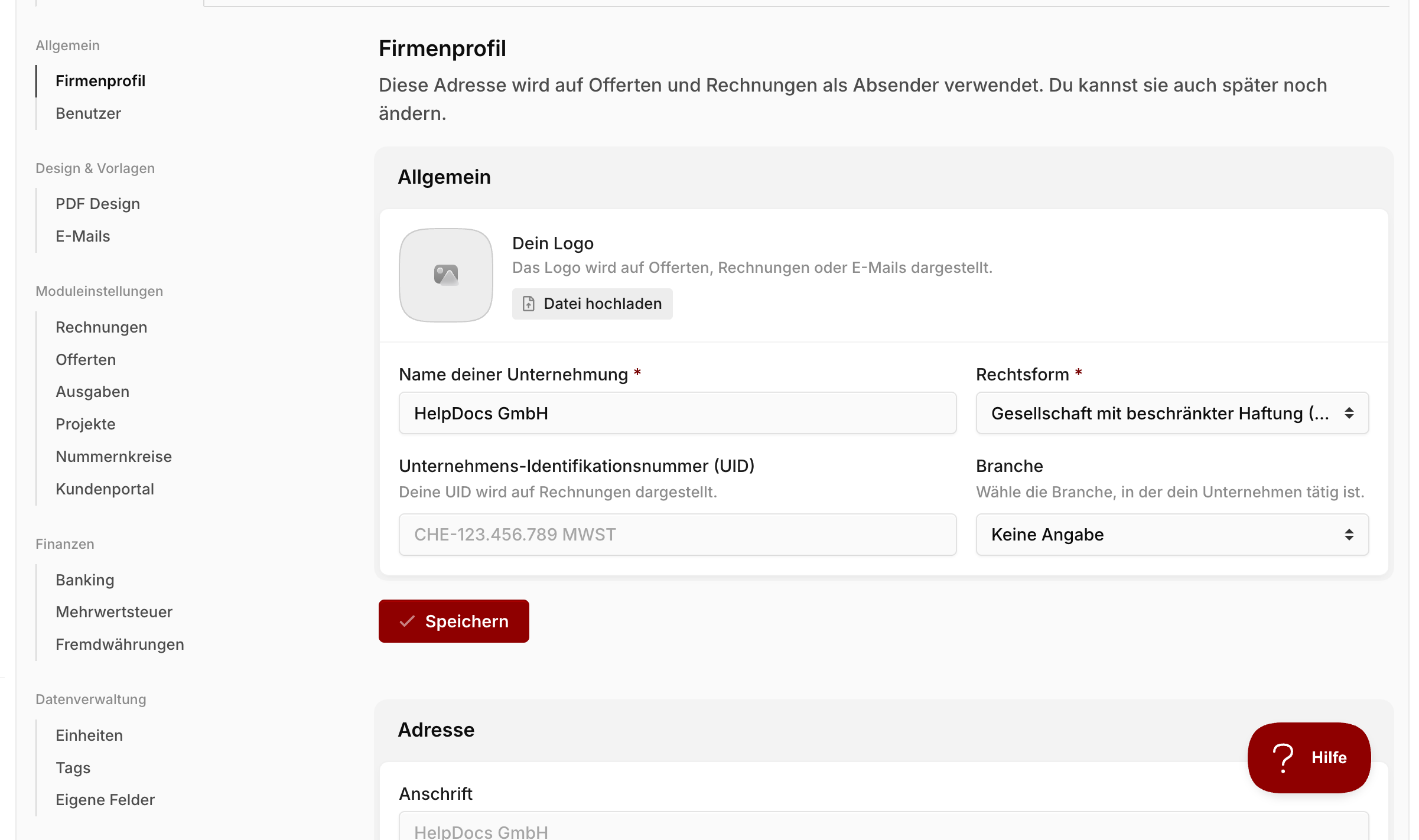
The page is divided into three sections — General, Address and Contact details. Each section has its own Save button. Changes are only applied within the matching section.
General
In the General section, you enter your organization's name, legal form and other master data.
Logo: Upload a square PNG or JPG. The logo appears on all offers, invoices and delivery notes, and as the sender image in emails to your customers. Click Upload file and choose an image.
Company name: Enter the official company name as registered in the commercial register. This name is used as the sender on all documents — unless you provide a different label under Address.
Legal form: Choose the matching legal form (e.g. GmbH, AG, Sole proprietorship). If your company name ends with a specific legal-form suffix (e.g. "AG") that doesn't match your selection, Blond warns you.
Company identification number (UID): Optional. The UID is printed on your invoices together with the "MWST" suffix. Use the format CHE-123.456.789 MWST.
Industry: Optional. The selection is used internally for statistics and doesn't affect any visible behavior — you can leave it on Not specified.
Address
This is your organization's business address. It appears as the sender on offers, invoices, reminders and delivery notes.
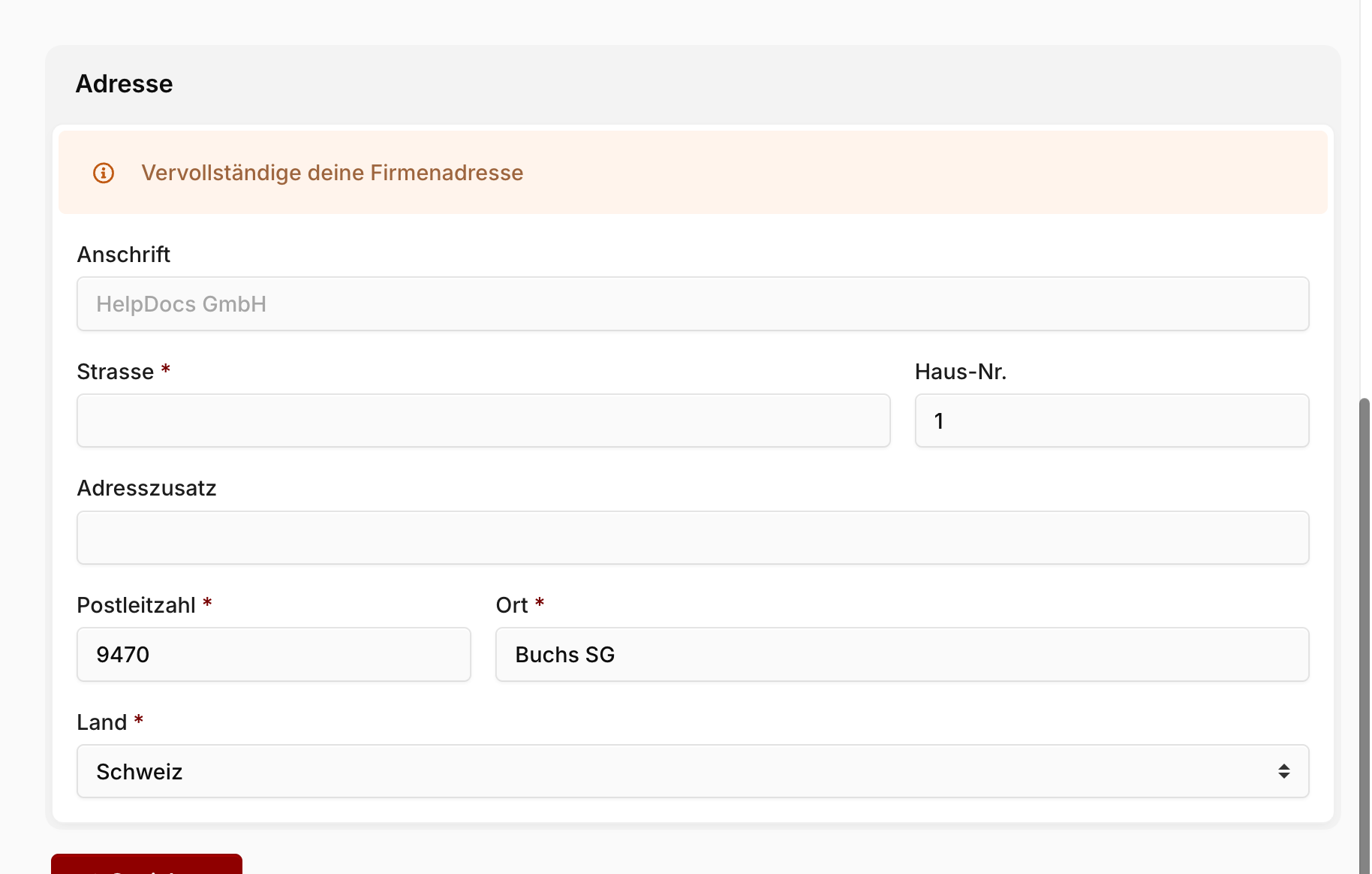
Address name: Optional. Leave the field empty if the company name from the General section should also be used as the address name — that's the normal case. Only fill this in when you want the sender on documents to read differently from your company name (e.g. a brand name or an owner suffix).
Street, building number, address line 2: The regular postal address. The address line 2 is for extra details like "c/o", floor or building name.
Postcode and city: Required. The postcode field accepts four-digit Swiss postal codes.
Country: Defaults to Switzerland. If your company is based in another country, pick it here — this also drives the formatting templates for IBAN and phone numbers.
Warning
As long as the street, postcode or city is missing, Blond shows the warning Complete your company address at the top of the section. Without a complete address you can't issue legally compliant invoices or offers.
Contact details
These values also appear on your documents and form the sender details of your outbound emails.
Email address: Your organization's main contact address. It is printed in the footer of offers and invoices and is the reply-to address for emails sent to customers. It has nothing to do with your personal sign-in email — manage that in your profile.
Phone number: Shown in the document footer. The input is automatically formatted according to the country selected under Address.
Website: Optional. If you omit the protocol prefix (https://), Blond adds it for you on save.
Related settings
The company profile only covers the master data. You'll find related settings elsewhere in the organization settings:
- Bank details and QR-IBAN under Banking
- VAT liability under VAT
- Default currency is set once when the organization is created and can't be changed afterwards.