
Project budget
Understand how a flat-rate project's budget arises and how you split it across cost centers.
Where the budget comes from
A project budget isn't typed in by hand. It's derived from your quotes. Two conditions have to be met:
- The project is a flat-rate project (see Project types)
- At least one approved quote is assigned to the project
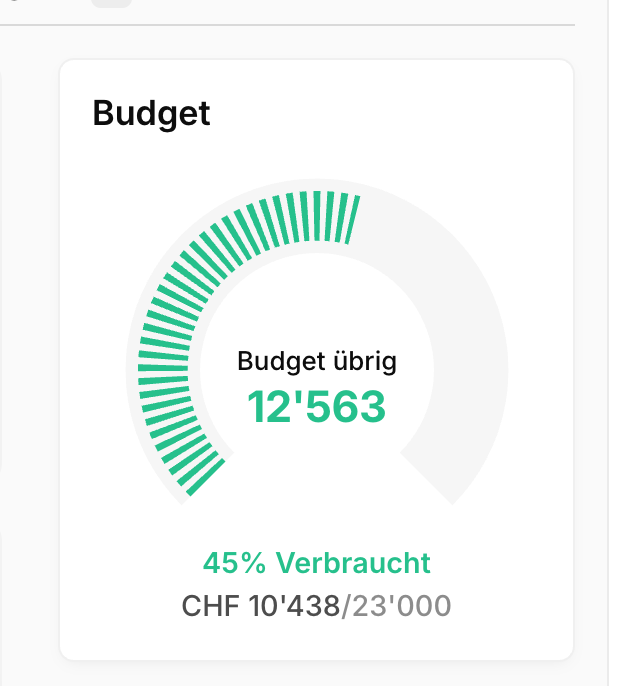
The total budget is the sum of all line items on those approved quotes. Approve a second quote later and attach it to the same project, and the budget grows accordingly.
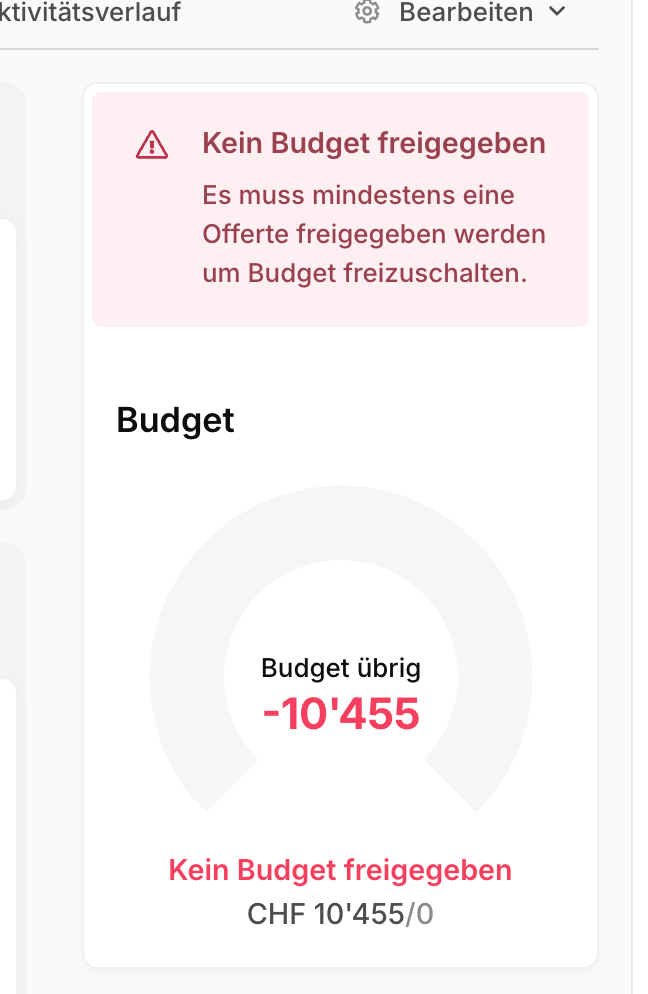
Without an approved quote, the project shows No budget approved:
Note
An hourly project has no quote budget. There, the cost limit you set yourself takes its place. The rest of this article is about flat-rate projects.
Splitting the budget by cost center
A single total says little about where the money actually goes. That's why you can assign quote line items to a cost center. Blond groups the budget by cost center and sets the hours and expenses actually spent on that same cost center against it.
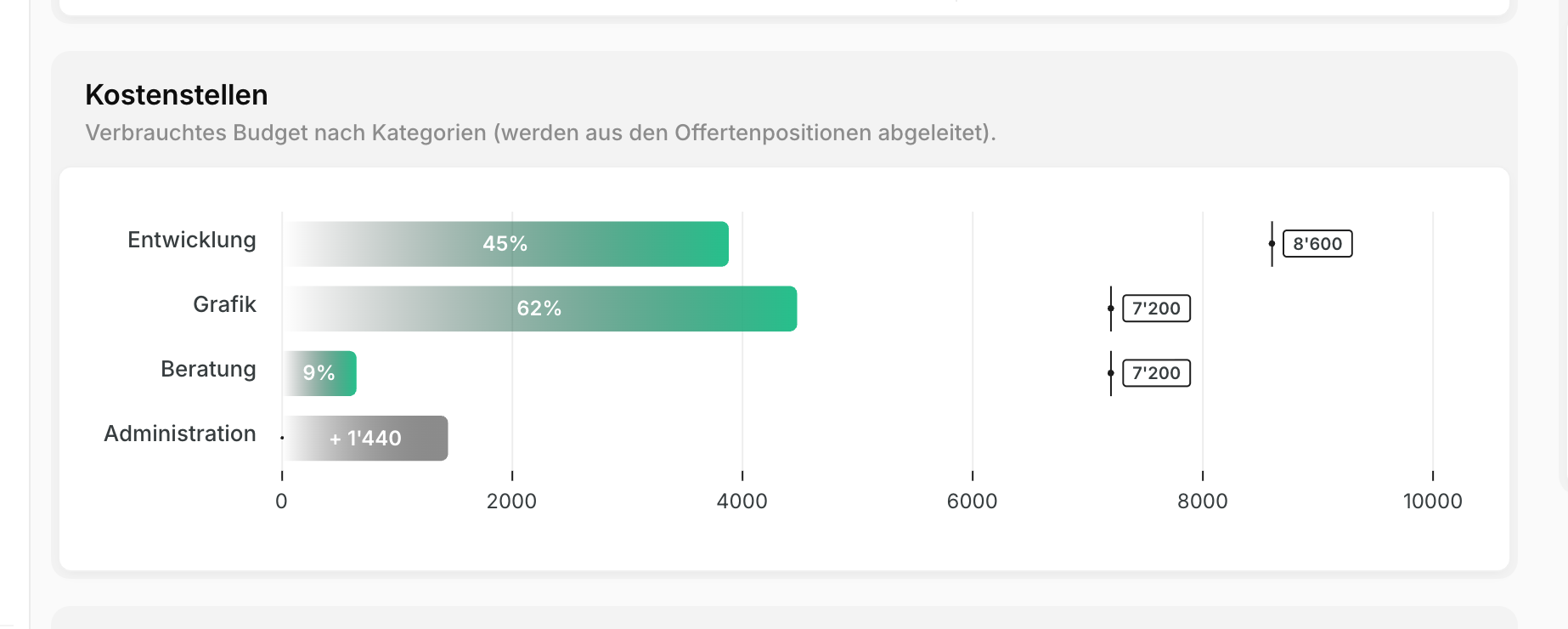
For this to work, the cost center has to be set in three places — the quote line item creates the budget, the hourly rate and the expense create the consumption:
| Where | Field | Effect |
|---|---|---|
| Quote line item | Cost center | budgets this amount onto the cost center |
| Hourly rate | Cost center | tracked hours draw down that cost center |
| Expense | Tag + Deduct from budget | the expense draws down that cost center |
Cost centers are technically tags. You manage them under Settings → Tags (app.blond.swiss/organization/settings/tag); for quote line items you need tags of the type Line items. You assign an hourly rate to a cost center under Hourly rates.
Example
You assign the hourly rates Programming, Testing and DevOps to the cost center Development, and Concept and Layout to Design. The customer receives this quote:
| Line item | Amount | Cost center |
|---|---|---|
| App development | CHF 10'000 | Development |
| App UI/UX design | CHF 4'500 | Design |
| Consulting | CHF 2'000 | — |
Once approved, the project budget shows three rows: Development CHF 10'000, Design CHF 4'500 and Uncategorized CHF 2'000. Now when someone tracks hours on the "Testing" rate, they draw down the CHF 10'000 of the Development cost center.
TIP
Line items without a cost center aren't lost — they collect under Uncategorized. That's a perfectly good starting point: begin with two or three cost centers and only refine once the catch-all row gets too big.
What counts against the budget
Three things draw down the budget: tracked time (valued at the hourly rate's billing rate), products attached to a time entry, and expenses.
For expenses, the Deduct from budget switch decides whether they hit the project budget. Third-party costs that you pass on to the customer separately can be kept out of the budget this way.
Note
On an internal project, hours are valued at the internal hourly rate instead of the billing rate.
Warning and danger thresholds
Blond speaks up before the budget is gone. Under Edit → Project budget you set two percentages:
Warning threshold: Once this share of the budget is used, the project manager is notified.
Danger threshold: From here the budget bar turns red.
Both values override your organization's default setting. Leave them empty and the organization default applies.
Project phases in the budget
If a project has project phases, their hours and expenses roll up into the parent project's budget. The parent additionally shows how much budget isn't assigned to any phase yet.
What's next
- Billing projects — turning the budget into an invoice
- Writing quotes — adding line items and assigning cost centers