
Correcting entries
Learn how to correct incorrect entries in the journal.
How are journal entries created?
There are fundamentally two kinds of entries:
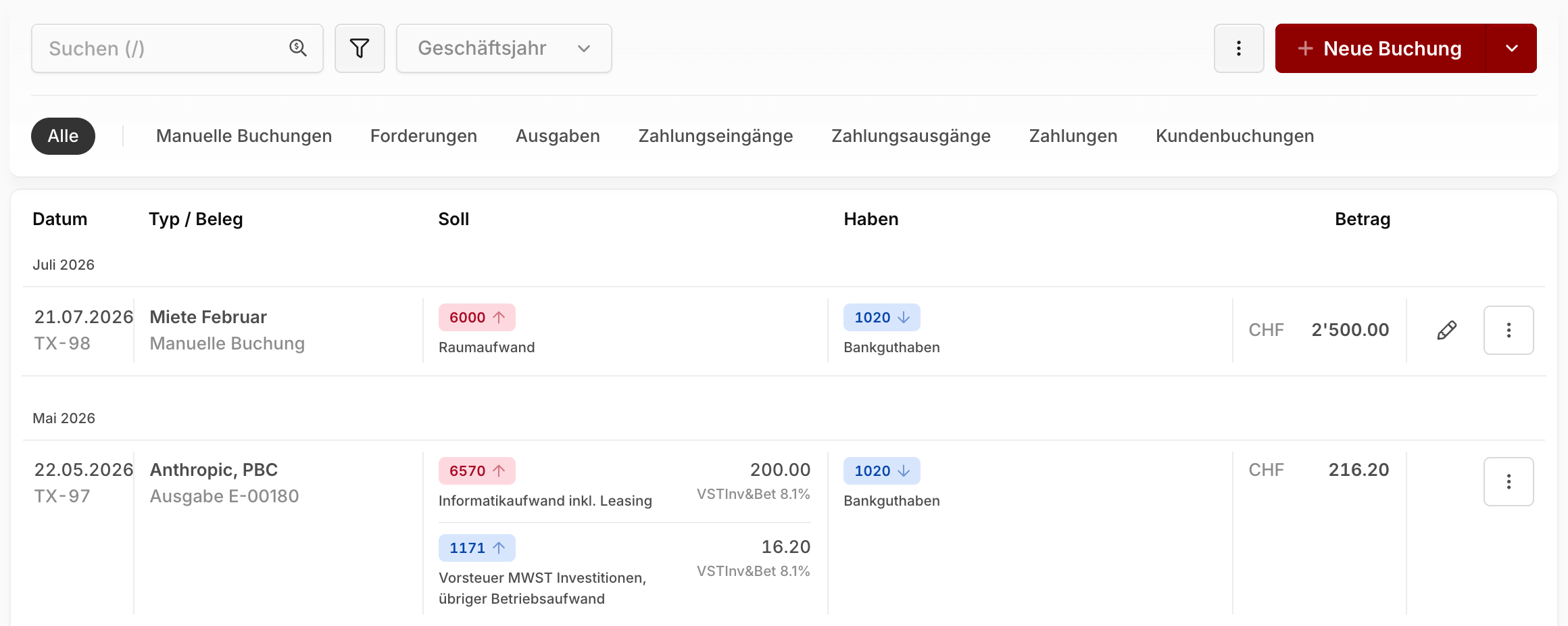
Automatic entries: Generated from invoices, expenses, bank reconciliation, or customer credit. You can recognize them in the journal by the lock icon.
Manual entries: Recorded by you directly in the journal (see Creating manual journal entries).
Adjusting or deleting entries
Automatic entries can't be edited directly in the journal — they always have to be corrected at their source (the document).
TIP
For automatic entries, click the entry's title to jump straight to the underlying document.
Customer invoices: Set the invoice back to draft status to make adjustments. When you re-send or finalize it, the entry is updated.
Supplier invoices & receipts: Can be edited directly in expenses, as long as the fiscal year isn't closed yet.
Bank reconciliation: Reconciled payments must be undone first. Open the payment's details (e.g. via the transaction in the Banking area) and click Undo reconciliation. You can then reconcile the transaction again.
Manual entries: Can be edited directly in the journal as long as the fiscal year isn't closed — double-click the entry or use the pencil icon.
Warning
Once a fiscal year is closed, all of its entries are locked. Closing can only be undone by our support team.