
Project types
Understand the difference between hourly and flat-rate projects — and when to pick which.
Every project in Blond has a billing type. It decides how you invoice the customer in the end, and with it whether the project draws a budget from a quote or watches a cost limit you set yourself.
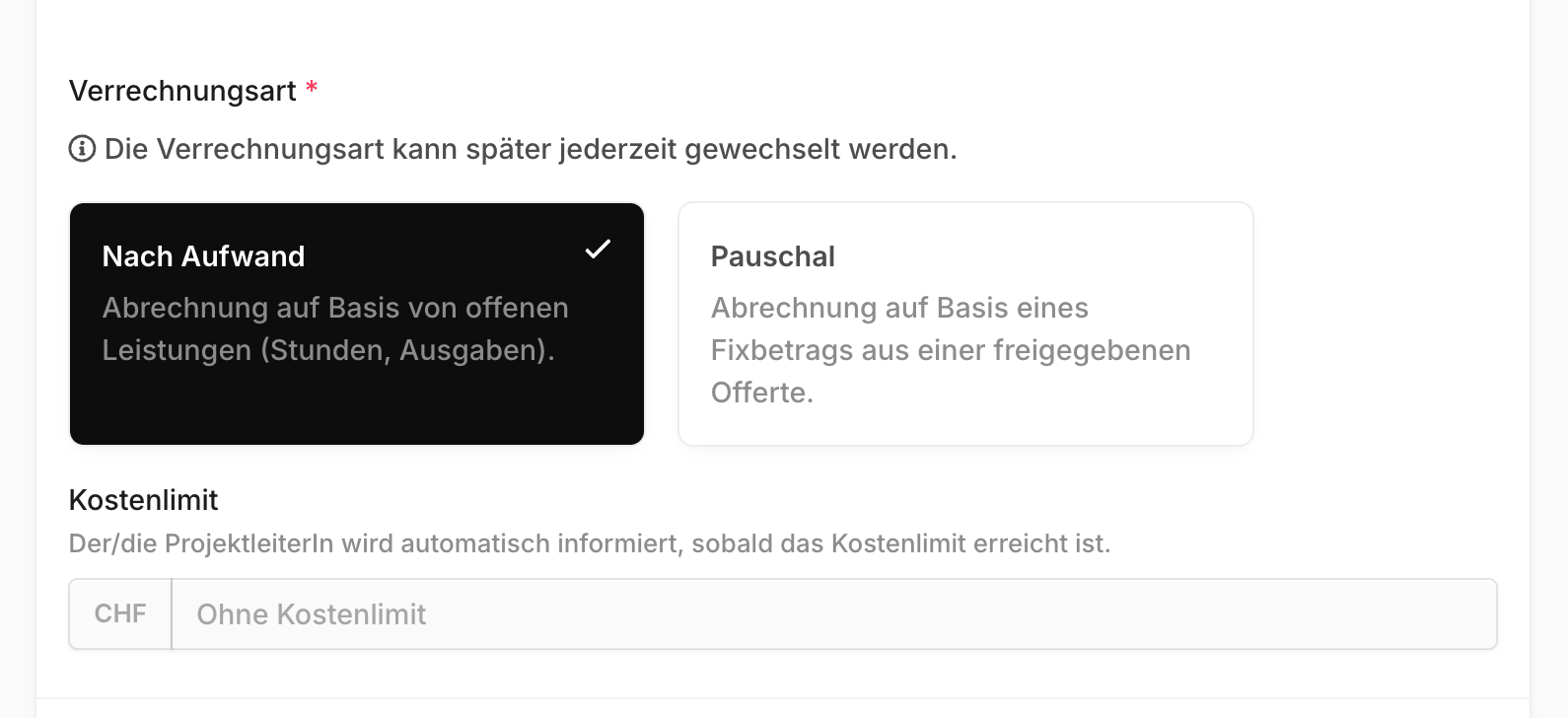
Hours & expenses, or flat-rate?
| Hours & expenses | Flat-rate | |
|---|---|---|
| Invoice is based on | tracked hours and expenses | fixed amount from an approved quote |
| Budget | a cost limit you enter yourself | derived from the quote |
| Quote required? | no | yes, at least one approved |
| Billed | continuously, whenever you like | once, or as partial invoices |
| Typical for | retainers, support, consulting | fixed-price contracts |
What matters is what you agreed with the customer: if they pay for the hours actually worked, pick Hours & expenses. If you agreed on a fixed price, pick Flat-rate.
TIP
The billing type can be changed at any time later. You're not locking yourself in when you create the project — the only exception is a project phase, where it's fixed.
Cost limit on hourly projects
Hourly projects have no quote-derived budget. Instead you can set a cost limit. It's not a hard stop — nobody is prevented from tracking time. But as soon as the limit is reached, the project manager is notified automatically.
The project list shows consumption against that limit, marked red once it's exceeded.
Flat-rate projects and the budget
On a flat-rate project the budget isn't typed in — it comes from the line items of an approved quote. As long as no quote is approved, the project shows "No budget approved".
How the budget is composed, and how you break it down by cost center, is covered in Project budget.
Internal projects
Internal project is not a third billing type — it's a separate switch that you combine with one of the two billing types.

Internal projects aren't meant to be billed to customers. Their cost budget is based on internal hourly rates instead of billing rates. Ideal for internal work, pro bono projects, or your own product development.
Note
Internal projects don't disappear from your reporting. They show up in the project list under the Internal project filter, and their hours feed into time reports — they're simply never invoiced.
What's next
- Creating a project — by hand or straight from a quote
- Project budget — how the budget arises and gets split by cost center
- Billing projects — invoicing both billing types