
Opening additional companies (tenants)
Run several companies with the same user account and switch between them at any time.
TIP
Your user account is independent of any company. With the same login you can belong to several companies — whether you created them yourself or were invited as a team member.
Set up an additional company
In the dropdown menu of your active company (at the top of the sidebar), click Set up additional company.
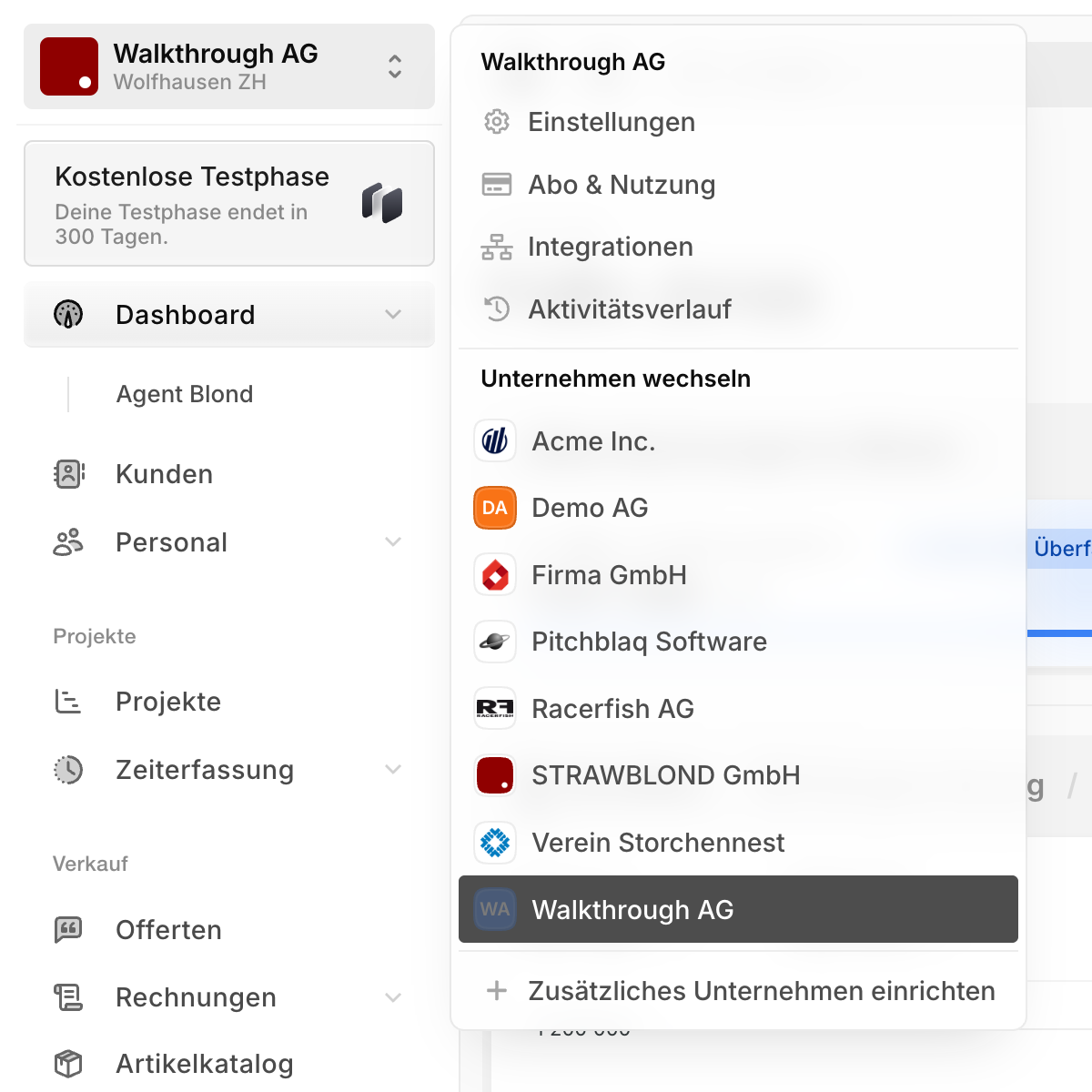
The same setup wizard as for your first company then guides you through the steps — basic information, address, VAT and subscription. Each company has its own subscription and its own data: customers, invoices, settings and accounting are strictly separated.
Switch the active company (tenant)
In the same dropdown menu, simply click another company to switch.
Note
Your user can only be signed in to one company at a time. It's not possible to have a different company open in a second browser tab — when you switch, all open tabs change to the new company.