
Setting up accounting
Set up the integrated financial accounting in four steps — from legal form to VAT accounting method.
TIP
It's best to discuss the accounting setup with your fiduciary. You can invite them by email right from the setup page — with the "Accounting" role and access to everything they need.
Starting the setup wizard
Click Accounting in the sidebar. As long as accounting hasn't been activated yet, you'll land in the setup wizard automatically.
1. Settings
Check your legal form: Make sure your company's legal form is correct. It determines which chart of accounts fits best.
Define your fiscal year: Set the start and end of your first fiscal year. Shortened and extended fiscal years are possible.
Bank accounts: Your bank accounts are automatically added to the chart of accounts as payment accounts in the "Liquid assets" group. If you haven't added a bank account yet, you can do so right from the wizard.
What happens to existing invoices and expenses?
Existing invoices, expenses, and payments that fall within the chosen fiscal year are booked automatically after setup and appear in the journal a few minutes later.
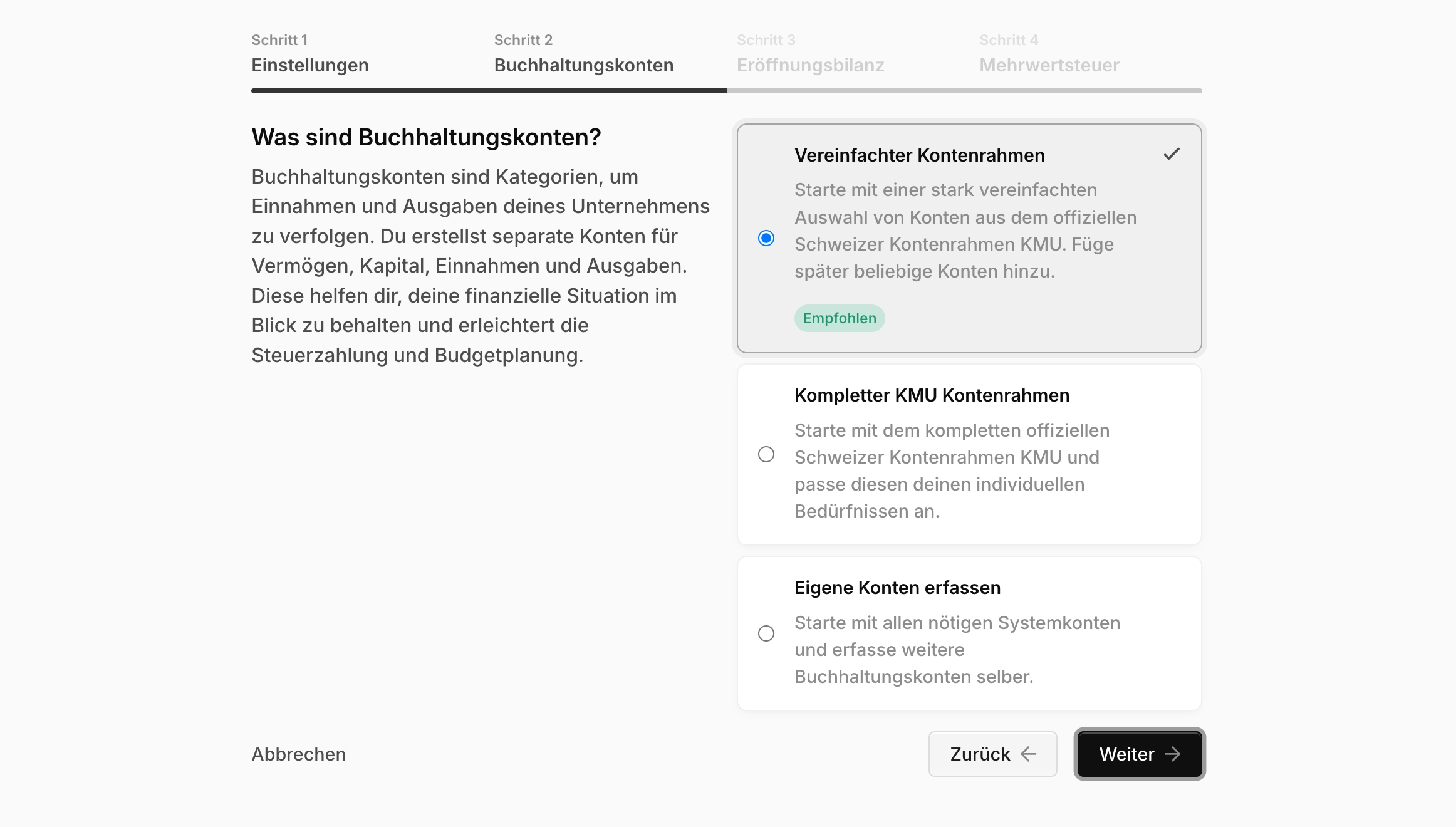
2. Choosing a chart of accounts
Choose one of three options to start with a chart of accounts:
Simplified chart of accounts (recommended): A heavily simplified selection of accounts from the official Swiss SME chart of accounts. You can add more accounts at any time.
Complete Swiss SME chart of accounts: Start with the full official Swiss SME chart of accounts and adapt it to your needs.
Create your own accounts: Start with just the required system accounts and create everything else yourself.
Warning
This step can only be undone by our support team. When in doubt, discuss the choice with your fiduciary.
See Customizing the chart of accounts for how to extend and adapt it later.
3. Entering the opening balance
Enter the closing values from your previous year into the opening balance. Assets and liabilities must match — the wizard shows any difference and only lets you finish once the balance is even.
TIP
Don't have last year's figures ready? Skip this step by leaving all values at 0. You can add the opening entries later as a compound entry.
4. Choosing a VAT accounting method
| Effective method | Net tax rate method | |
|---|---|---|
| Reporting | Quarterly, using effective VAT rates | Semi-annually, using industry-specific net tax rates |
| Input tax deduction on expenses | Yes | No |
| Booking | Net method | Gross method |
With the net tax rate method, you can store up to two net tax rates. If you use two rates, you choose which revenue accounts are settled with the 2nd rate — all other revenue accounts automatically use the 1st rate.
Note
Blond currently only supports reporting based on invoices issued (agreed consideration).