
Balance sheet & income statement
Learn what the balance sheet and income statement show and where to find them in Blond.
What are the balance sheet and income statement?
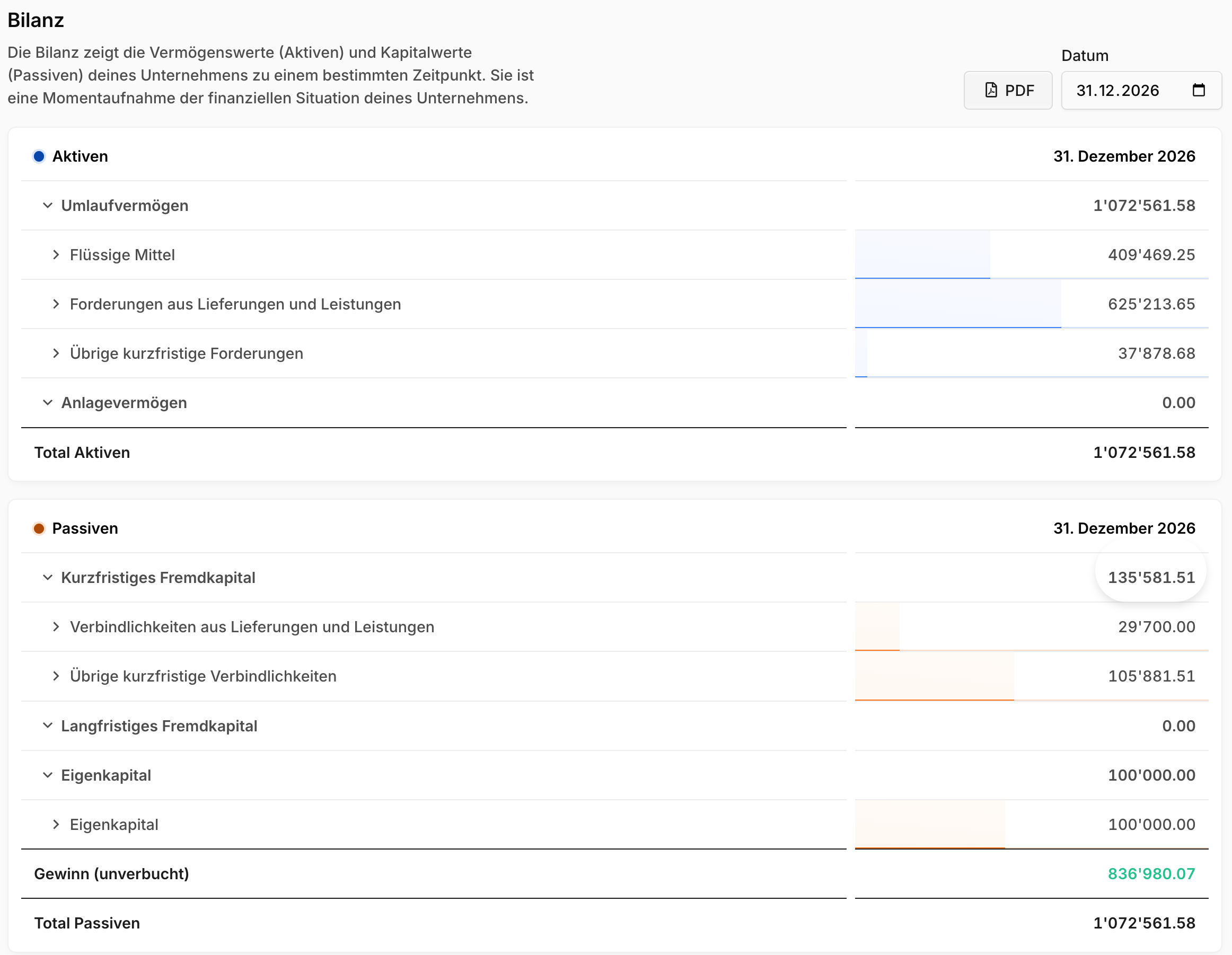
Balance sheet: Shows your company's assets and liabilities at a specific point in time. It's a snapshot of your financial situation.
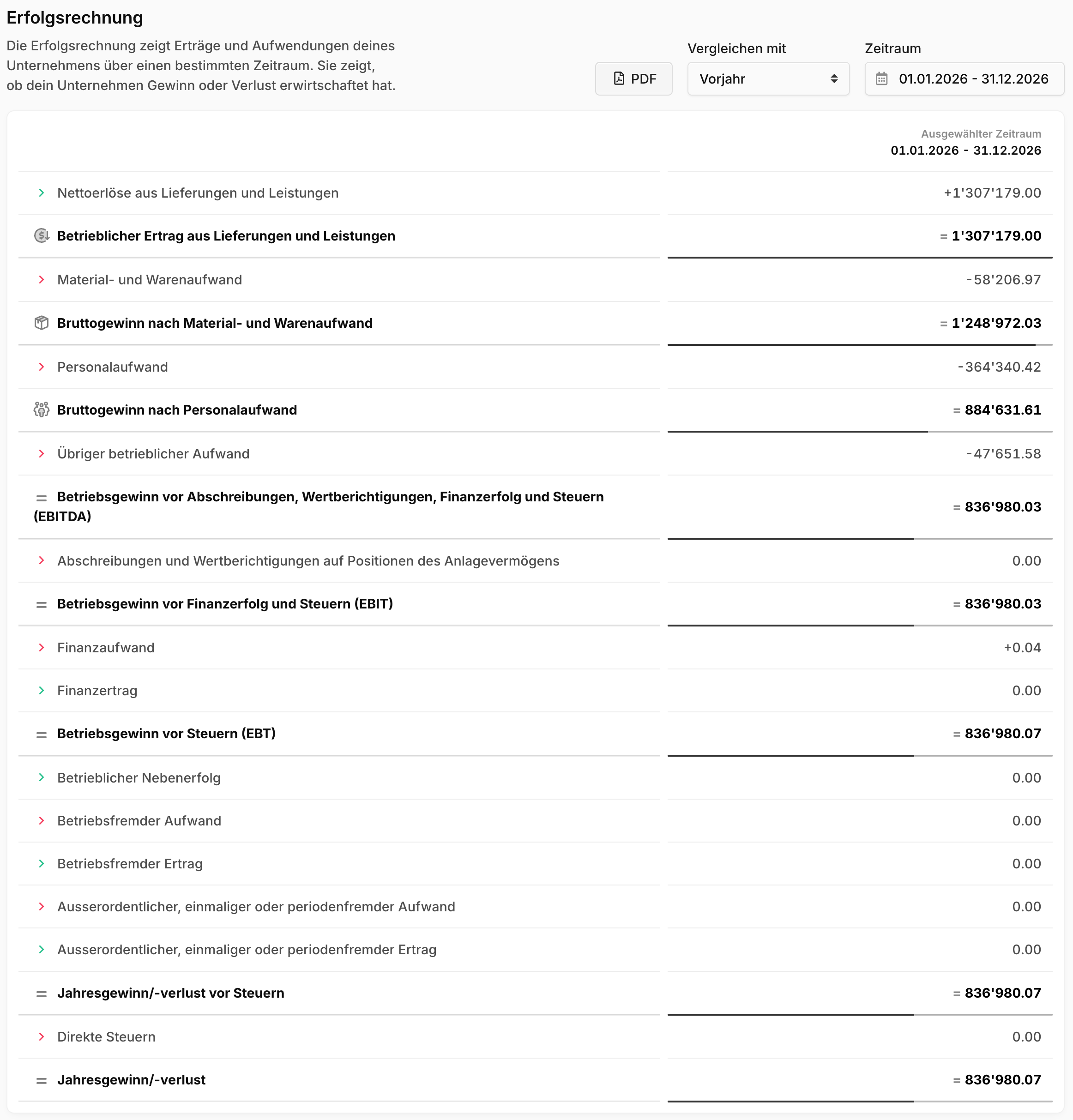
Income statement: Shows your company's revenue and expenses over a specific period. It shows whether your company made a profit or a loss.
You'll find both reports under Accounting → Reports & Closing. That's also where the open items list (all issued but not yet paid incoming and outgoing invoices) and the year-end closing live.
Reading the balance sheet
Open Accounting → Reports & Closing → Balance sheet and choose the desired date. Click the account groups to expand and collapse individual groups and accounts.
Note
The running profit or loss appears in the balance sheet as its own line, "Profit (unposted)" or "Loss (unposted)", until the fiscal year is closed.
Reading the income statement
Open Accounting → Reports & Closing → Income statement and choose the desired period. Here too, you can drill into the account groups with a click.
The multi-level income statement separates operating from non-operating revenue and expenses. This shows how efficiently your company generates profit from its core business.
Exporting
Download both the balance sheet and the income statement as a PDF of the currently displayed view via the PDF button.
TIP
Agent Blond can also summarize and analyze your balance sheet or income statement — you'll find the matching suggestions right on the report page. Learn more under Reports and analysis.