
Payment methods for receipts
Define what your receipts were paid with — and which accounting account they post to.
Why payment methods?
A receipt is an expense that has already been paid. The payment method records what with — cash, the company credit card, or an employee's own pocket.
That's not just a label: every payment method points to an accounting account. Record a receipt with the payment method "Credit card" and Blond posts the payment against the account stored there. The contra entry is created for you, and your cash, credit card or payables account stays correct.
Note
Payment methods apply to receipts only. Bills are settled through payment orders and a bank account — there you pick a bank account rather than a payment method.
Create a payment method
Open Organization → Settings → Expenses. In the Payment methods block, add a new one with + Create.
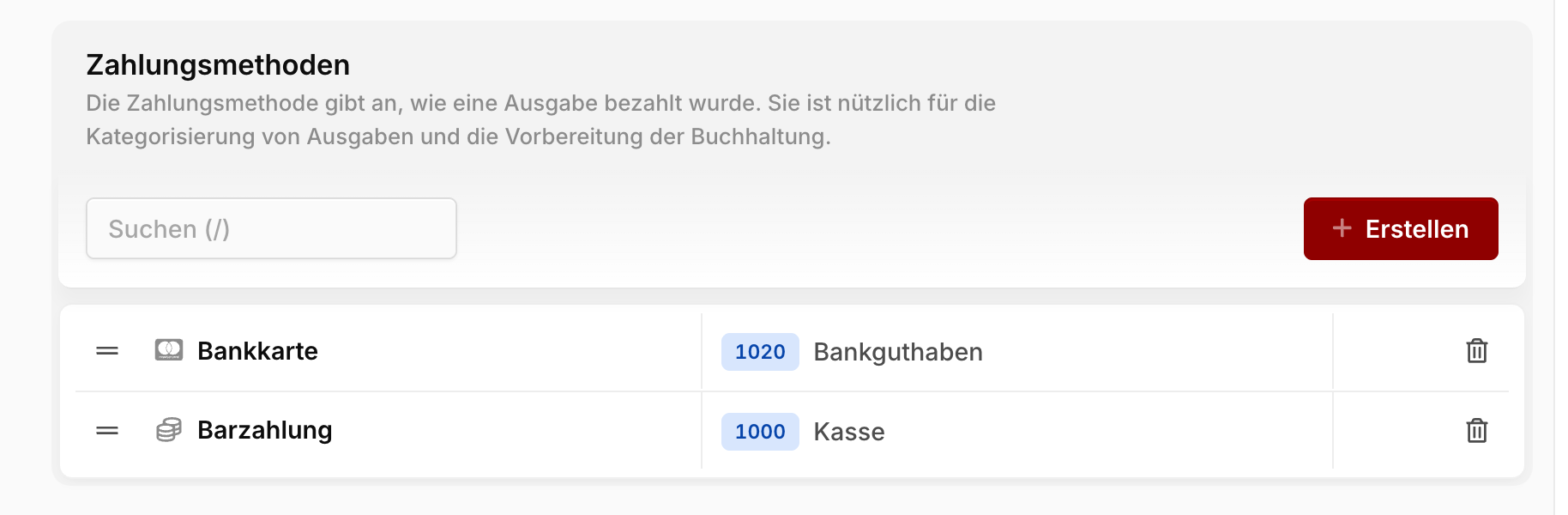
Icon: A symbol that lets you spot the method instantly in lists and pickers.
Name: The label shown when recording an expense — e.g. "Cash", "Credit card" or "Employee expenses".
Account: The account that receipts with this payment method post to. For cash typically the cash account, for out-of-pocket spending an employee payables account.
You set the order of the list by drag and drop. It determines the order the methods appear in when recording a receipt — put the one you use most at the top.
Warning
As soon as at least one payment method exists, it becomes a required field when recording a receipt. While none exists, the field isn't shown at all.
Where payment methods show up again
When recording: In the + Record expense dialog you pick the method before you upload the file.
In the Expense Inbox: When you turn a document into an expense, you pick the payment method straight from the + menu — the expense is created in a single step. See Expense Inbox.
In the expense list: For paid receipts, the payment method and its icon replace the "Paid" status. At a glance you see not just that it was paid, but what with.